
 en@netsayfa.com
Contact Us

Our Location
ingilizce adres
Profesyonel servis çözümlerimiz için bize ulaşın
Randevu AlHer endüstri için özelleştirilmiş elektrik hizmetleri





Müşteri memnuniyetimizi yansıtan referanslar
Discover our customers' experiences and opinions.

We were very satisfied with the services we received during our company's digital transformation process. Thanks to your professional team, our website and e-commerce platform were launched in a short time. Your technical support and consulting services were especially excellent.

As a small business, our budget was limited, but the services we received were truly valuable. Thanks to your logo design and corporate identity work, our brand looks much more professional. Thank you!

During the development of our e-commerce site, we worked with a very patient and understanding team. They did an excellent job on payment integrations, inventory management and shipping integration. Our sales increased by 300%!

I am very satisfied with the service I received for my portfolio website. Thanks to the modern and responsive design, my business opportunities have increased. They are especially successful in mobile compatibility.

We had an online ordering system and website made for our restaurant. Especially during the pandemic, our business went very well thanks to this system. Customer satisfaction increased and our orders doubled.

A student management system was developed for our school. Student registrations, grade tracking and parent notification system are now much easier. Our teachers and parents are very satisfied.

Sorunsuz tahminler sadece bir tık uzağınızda
Hedefimiz, çevre bilincine sahip elektrik hizmetleri sağlamada lider olmaktır. Enerji verimli çözümlere odaklanıyoruz.
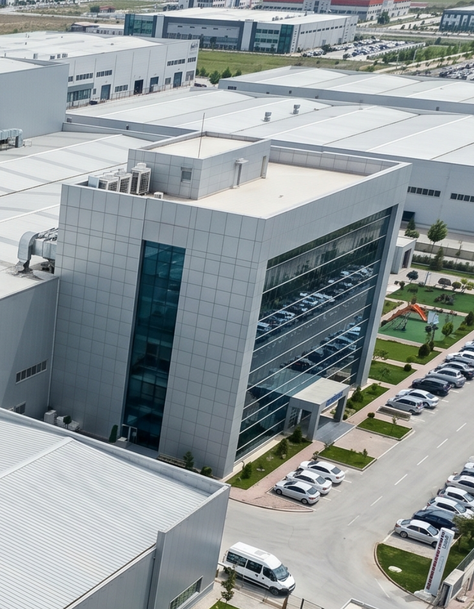

4 Milyon$+
Teşvik
Hizmetlerimiz Hakkında Sıkça Sorulan Sorular
Hizmetlerimiz hakkında merak ettiğiniz soruların cevaplarını burada bulabilirsiniz. Daha fazla bilgi için bizimle iletişime geçebilirsiniz.

For Wi-Fi connection problems:
- Make sure Wi-Fi is on: Check that Wi-Fi button or Fn key combination is active on laptop
- Restart modem/router: Turn off modem or router, wait 30 seconds and turn it back on
- Update network driver: Update Wi-Fi driver from Device Manager
- Reset network connection: Run command prompt as administrator and run these commands:
- ipconfig /release
- ipconfig /renew
- ipconfig /flushdns
- Check Wi-Fi password: Make sure password is correct
- Check distance: If you're too far from modem/router, try getting closer
- Check firewall: Windows Firewall may be blocking Wi-Fi connection
Symptoms of graphics card problems:
- Display corruption: Lines, color distortions or pixelation on screen
- Black screen: Computer turns on but nothing appears on screen
- Game crashes: Games frequently crashing or freezing
- Artifacts: Strange shapes or colors appearing on screen
- High temperature: Graphics card overheating
Solution suggestions:
- Update driver: Download and update graphics card driver from manufacturer's website
- Reinstall driver: Remove old driver and install new one
- Physical check: Make sure graphics card is properly installed and power cable is connected
- Check cooling: Check that graphics card fan is working and there is no dust accumulation
- Test: Test graphics card with FurMark or similar tools
For Office activation problems:
- Check your Microsoft account: Check that your Microsoft account is correctly signed in from File > Account section in Office application.
- Reinstall Office: Completely remove and reinstall Office.
- Reset Office license: Run command prompt as administrator and run these commands:
- cd "C:\Program Files\Microsoft Office\Office16" (may vary by Office version)
- ospp.vbs /act
- Check internet connection: Internet connection is required for activation.
- Check antivirus software: Antivirus software may be blocking Office activation, temporarily disable it.
- Contact Microsoft support: If problem persists, contact Microsoft Office support.
There can be many reasons why your computer is slowing down. Here are things you can do to speed it up:
- Remove unnecessary programs: Uninstall programs you don't use through Control Panel.
- Reduce startup programs: In Task Manager, prevent unnecessary programs from starting automatically from the Startup tab.
- Clean up disk: Use Disk Cleanup tool to clean temporary files and junk files.
- Defragment disk: If you're using HDD, defragment the disk (not necessary for SSD).
- Upgrade RAM: If RAM capacity is insufficient, you can improve performance by adding RAM.
- Run virus scan: Your computer may have viruses or malware, scan with an up-to-date antivirus.
- Switch to SSD: If you're using HDD, switching to SSD will significantly speed up your computer.
To increase internet speed:
- Run speed test: Measure your actual speed from sites like speedtest.net
- Restart modem/router: Renew connection by turning modem off and on
- Use wired connection: Get more stable and faster connection by using Ethernet cable instead of Wi-Fi
- Change Wi-Fi channel: Select a less crowded Wi-Fi channel from modem settings
- Change modem location: Place modem in a more central location, keep it away from obstacles
- Close background programs: Close programs that are downloading or using internet
- Change DNS servers: Use Google DNS (8.8.8.8, 8.8.4.4) or Cloudflare DNS (1.1.1.1)
- Run virus/malware scan: Malicious software running in background on your computer can slow down speed
